
Feature
Hector Macro Other Features
The features every class can use are on this page. Auto Duration keeps your buffs going longer; Skill Shortcuts and Custom Combos put skills on keys of their own.
Scripts replay your own keys and clicks, and Voice Commands run the bot by voice. Cinema Mode hides the game with one key, and Profiles save and share your settings.
Contents
Auto Duration
In the program: Bot settingsExtra
Makes your buffs last longer. As soon as a buff you ticked appears among your active buffs, the bot uses your duration scroll on it.
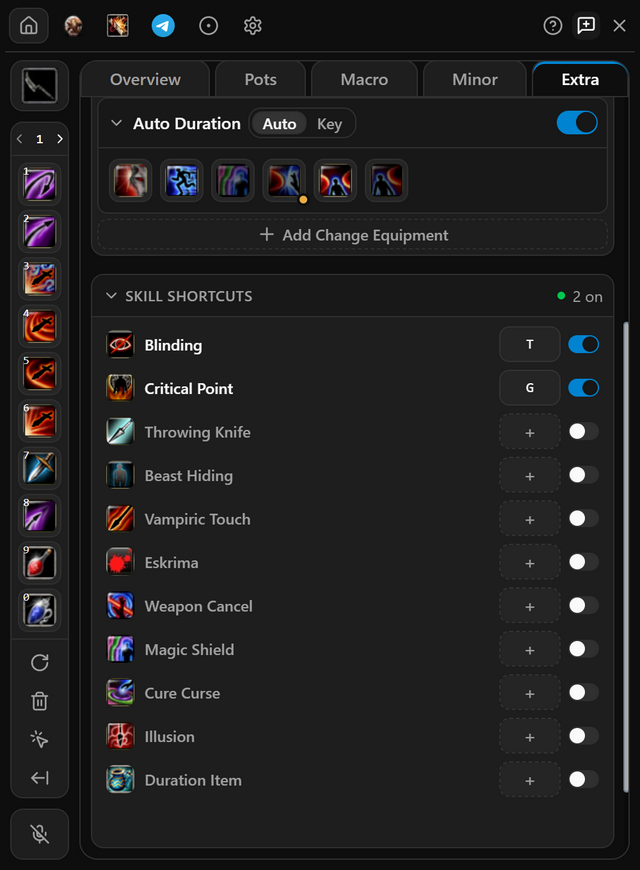
- Put your duration scroll on your skill bar and load skills.
- Open Extra and click Auto Duration under Special modes to unfold it.
- Click each buff it should extend.
- Switch it on. To use it only when you press a key, pick Key and set the key first.
- When it works
- It shows in the Extra list on the Overview tab, with a green dot.
- If it does not
- The scroll has to be on your skill bar; the buffs do not. If it will not switch on, put the scroll there and reload skills.
Skill Shortcuts
In the program: Bot settingsExtra
Puts a single skill on a key of its own. One press casts it wherever it sits on your bar.
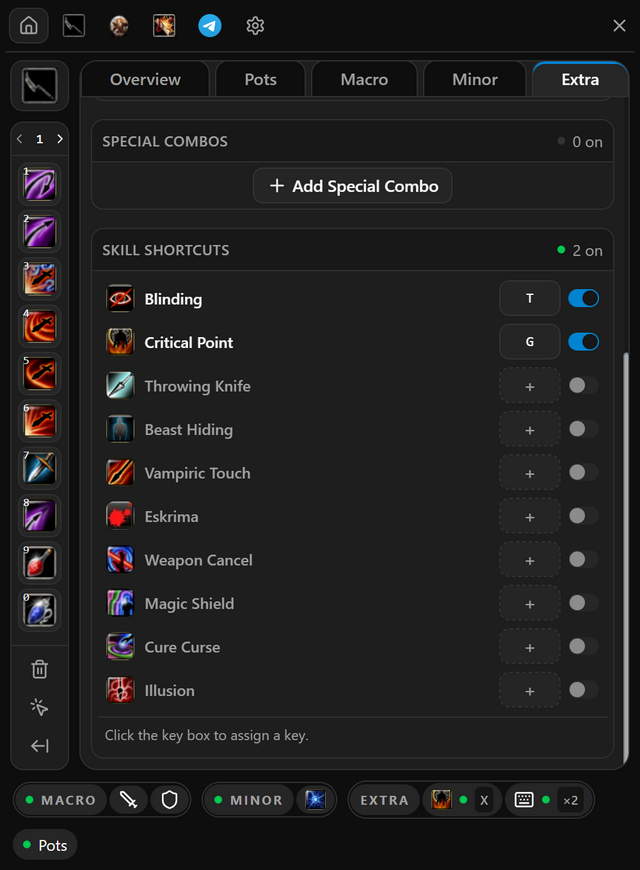
- Open Extra and find the Skill shortcuts list.
- Click the key box next to a skill and press the key you want, or a combination such as Ctrl + X.
- Switch the row on. Switch it off to pause the shortcut; its key stays. A row on with no key reads Voice only: no key fires it, only a voice command such as kür at for Cure Curse.
- Press that key in the game while the bot lock is open.
- When it works
- The group header counts the shortcuts that are on, for example 2 on.
- If it does not
- An amber dot beside a key box means the skill is not on your skill bar. Put it there and reload skills.
Special Combos
In the program: Bot settingsExtra
Puts a combo of your own skills on a key. One press casts them wherever they sit on your bar.
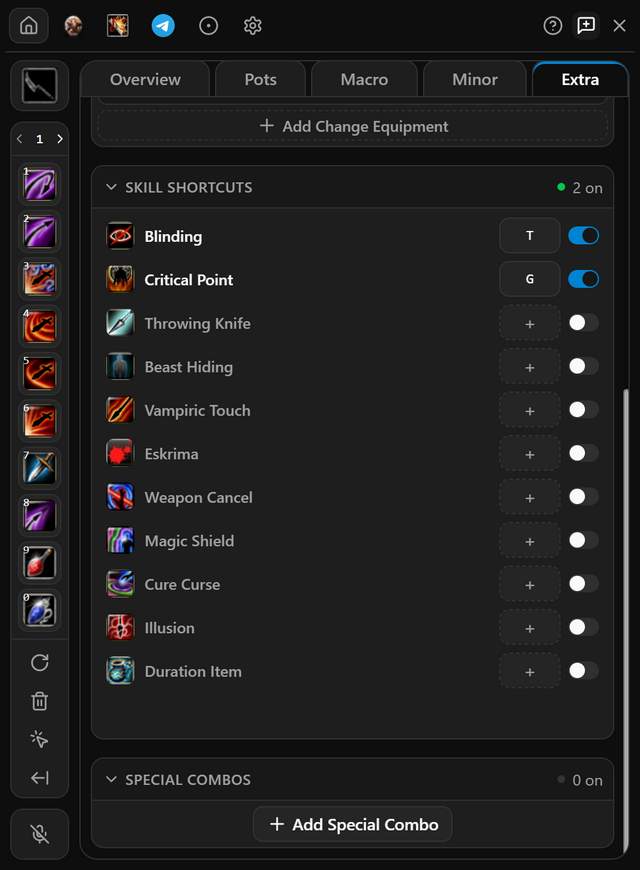
- Open Extra and press Add Special Combo.
- Right-click skills on the skill bar to add them to the highlighted combo, or drag them onto its + box. Ctrl-click a skill to remove it.
- Click its key box, press the key you want, and switch the combo on.
- Press that key in the game while the bot lock is open.
- When it works
- The skills cast when you press the key, wherever they sit on your bar. R R between skills cuts each skill’s animation short.
- If it does not
- A skill with an amber dot is not on your skill bar and cannot be pressed. Put it on your bar and reload skills.
Scripts
In the program: Scripts
Records your own keys and clicks in the game, and plays them back when you press the script's shortcut.
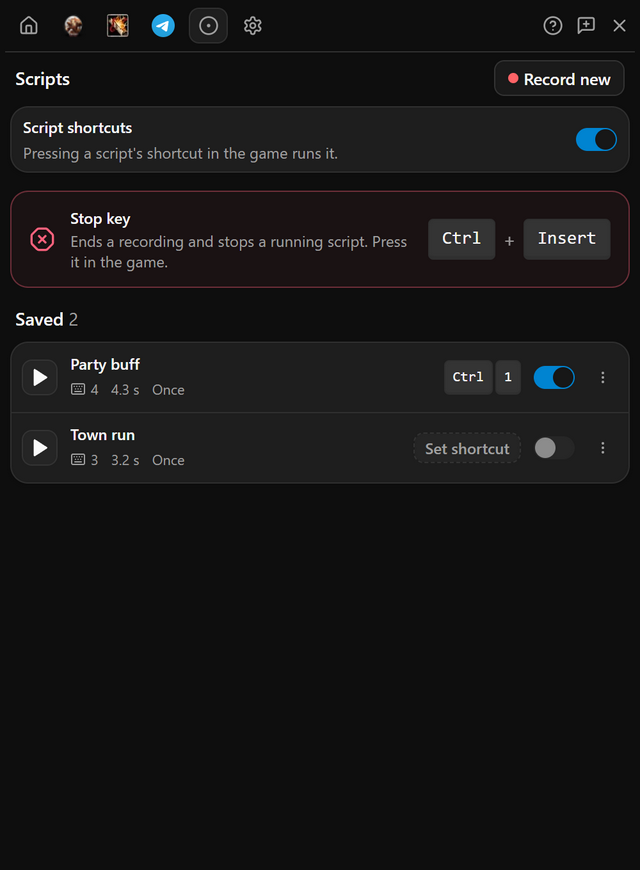
- Open the Scripts tab and press Record your first script, or New recording once you have one, then Start recording.
- When the countdown ends, click into the game and play. Press Ctrl + Insert in the game to stop.
- Name the script, click the Shortcut box and press a key, then press Save.
- Press the shortcut in the game to play it. Ctrl + Insert stops it.
- When it works
- While a script plays, its row reads Running and counts the steps.
- If it does not
- Only keys and clicks inside the game window are recorded, and playback stops when the game loses focus. Keep the game in front.
Voice Commands
In the program: Bot settings
Hold a key, say a command, and Hector does it: unlock the bot, start the attack, switch pots on, teleport to town and more. Commands are spoken in Turkish.
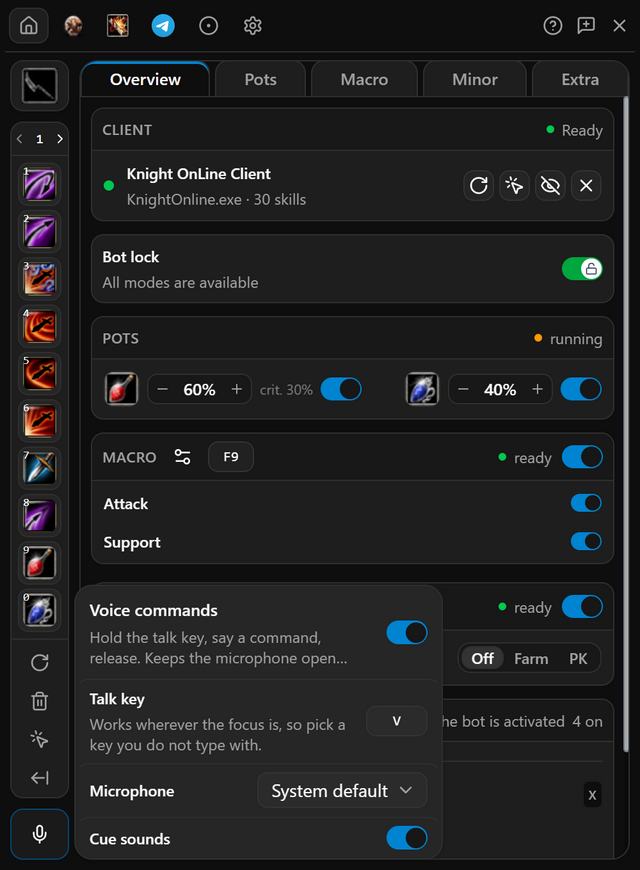
- On Bot settings, press the microphone card below the skill bar.
- Switch on Voice commands.
- Click the Talk key box and press a key you do not type with.
- Hold the key, say a command such as atak başlat or towna git, then let go.
- When it works
- A message shows what Hector heard and what it did, and the microphone on the widget flashes green.
- If it does not
- A quick tap does nothing. Hold the key down for the whole command, and let go when you finish.
Cinema Mode
In the program: Program settingsGeneral
Hides the game window and Hector with one key, and brings them back with the same one. The bot carries on behind them.
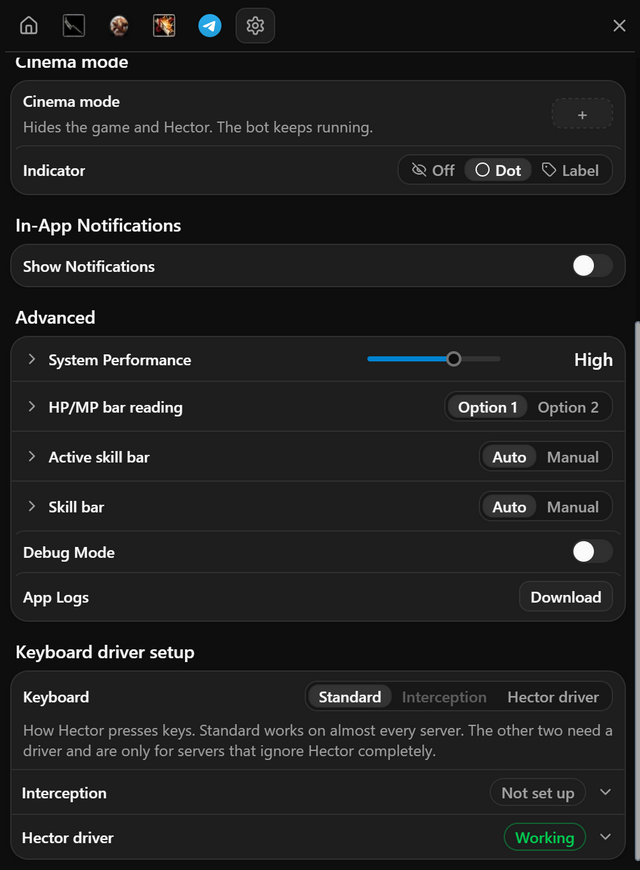
- Open Program settings, General. Under Cinema mode, click the key box and press a key.
- Pick what stays on screen under Indicator: Off, Dot or Label.
- Press the key. The game and Hector disappear, and the bot carries on.
- Press the key again to come back, or click the indicator.
- When it works
- With Label, a Cinema mode on pill sits in the top-right corner of your screen.
- If it does not
- Picked Off and forgot the key? Double-click the Hector icon in the Windows tray.
Profiles
In the program: Program settingsProfiles
Save all your settings under a profile name. Switch between profiles quickly and share your profiles with friends.
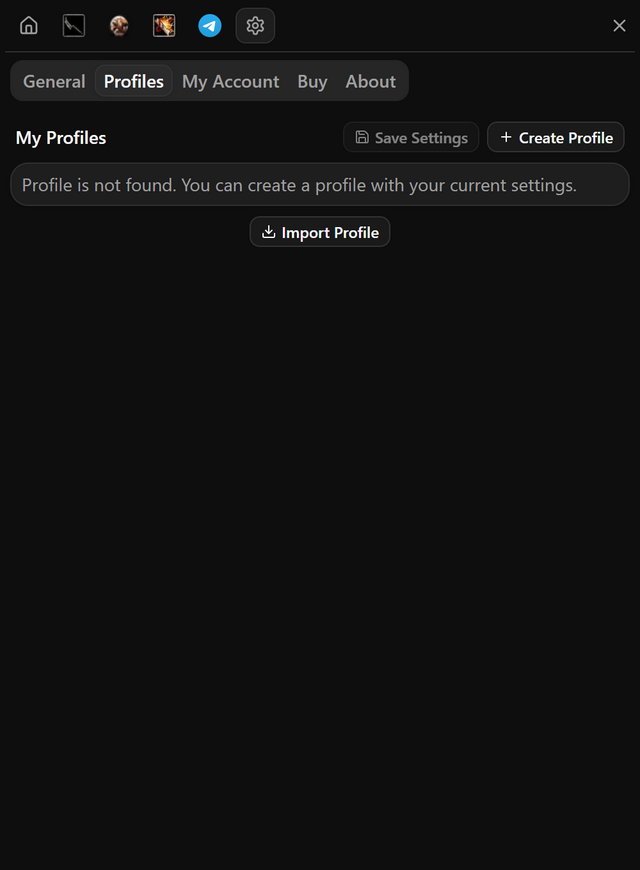
- Open Program settings, Profiles, and press Create Profile.
- After you change settings, press Save Settings.
- To share, press the share icon on a profile, then Copy to Clipboard, and send the id.
- To use someone else's, paste their id under Import Profile and press Import.
- When it works
- The profile you are using is marked Selected.
- If it does not
- Importing overwrites your selected profile. To keep yours, create a new profile and select it first.
Questions
Can I put one skill on a key of its own?
Yes. Skill Shortcuts put a single skill on its own key; it is cast wherever it sits on your bar.
Can I record my own keys and clicks?
Yes. Scripts record your keys and clicks in the game and replay them when you press the script's shortcut.
Can I share my settings with a friend?
Yes. Save your settings as a profile on the Profiles tab in program settings. Copy its ID with the share icon and send it; your friend adds it to their program with Import.
Pricing
Pick the plan that suits you
Every plan includes all of the program's features. After payment, your one-time token is sent to your email address; use it in the app to create your account or extend your time.
Trial
Free
Three days
The code is emailed to you, and entering it in the app starts your three days. No payment is taken and no card details are asked for.
Weekly
33% off7 days
100TL
PurchaseWas 150 TLMonthly
20% off30 days
400TL
PurchaseWas 500 TL3 months
28% off90 days
900TL
PurchaseWas 1250 TL
Features shared by every plan
- Every feature unlocked: combos, auto pot, minor, heal, item upgrade and Telegram alerts.
- All five classes, from assassin to mage.
- Every update released while your plan is running.
- Your days start when you activate your token, not when you pay. Buy again before it runs out and the new days are added to the days you have left.
Pay through Shopier. Your card details are never used on this site.
For other payment methods, contact us: support@hectormacro.com